Still learning a language from a PDF? Here's what I built instead
How I turned my Arabic workbook into an interactive site, the prompts I used, and what happened when I tried to sell it
 By Furquan Ahmad · October 22, 2026
Learning a language from a PDF is hard work. I was going back and forth on every page: copying a word into a translator, hunting for the grammar rule, then opening YouTube in another tab to hear how it's actually said.
I've been learning Arabic, specifically the Jordanian-Palestinian dialect, with the Filblad workbook. The content is brilliant. The PDF just wasn't built for how I learn.
So I turned it into an interactive website. It took me less than 3 days to release, payments and all.
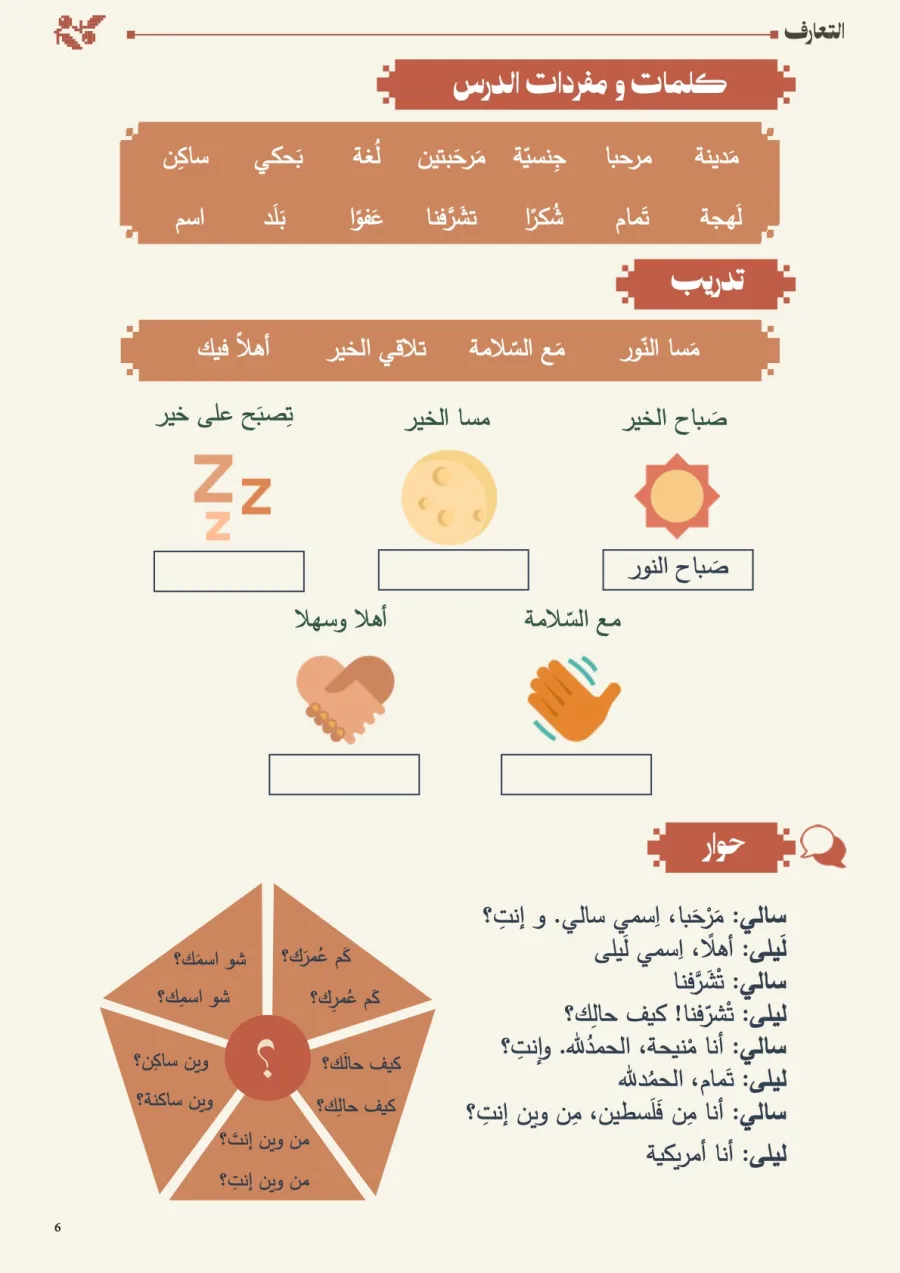
A quick look around the workbook.
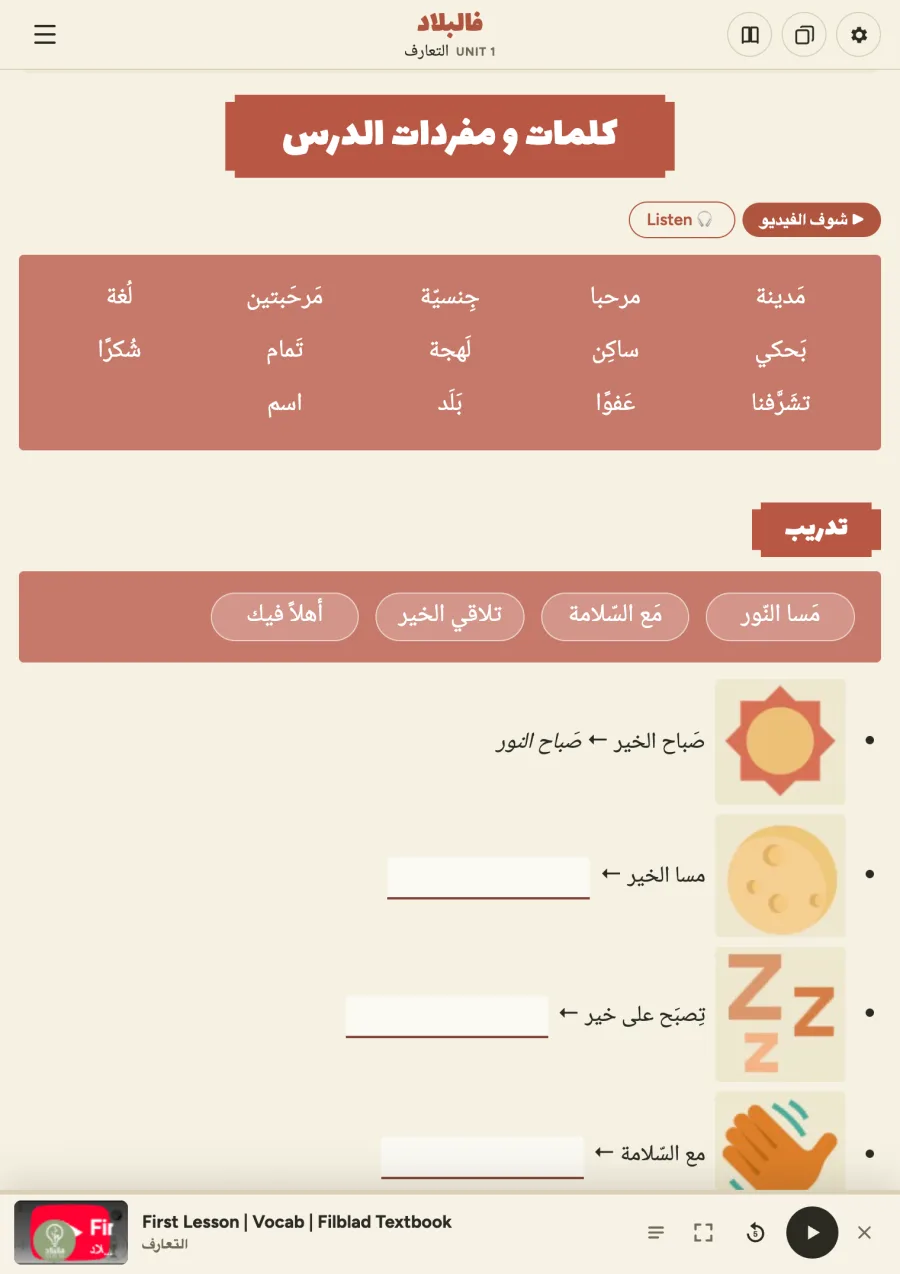
Before and after
The problems I wanted to fix
1. Translating every word
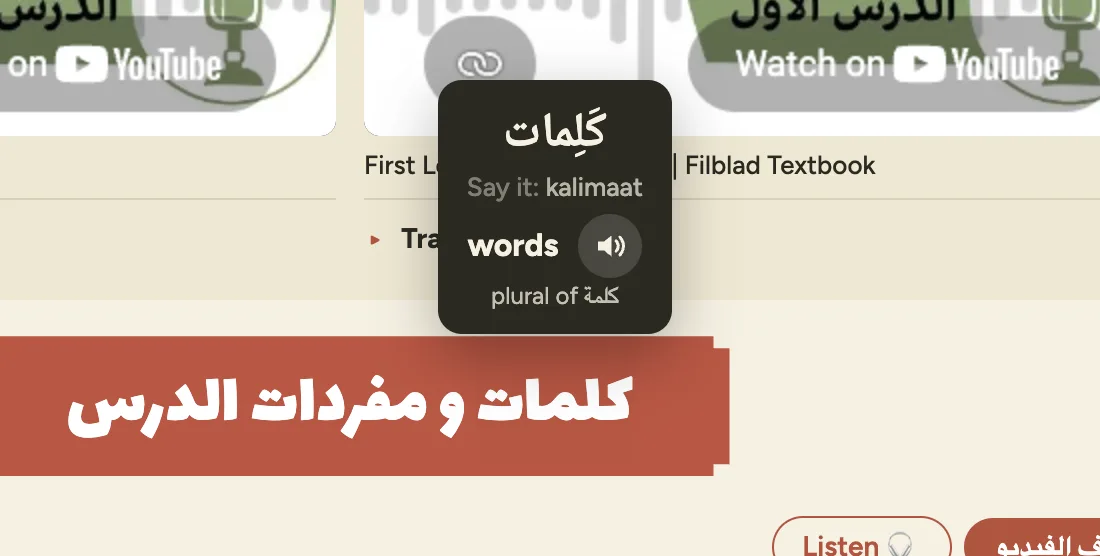
When you're learning a language, you spend half your time translating. I wanted to highlight a word and just know what it means.
Now you hover or highlight any Arabic word and get the meaning, how to say it and a button to hear it. Highlight a whole phrase and you get every word in it.
2. Hearing the dialect
I wanted pronunciations for everything, and the dialect matters. Most voices out there speak Modern Standard Arabic, which isn't what people speak at home.
ElevenLabs really helped here, because it handles dialects much better than anything else I tried. It's still not perfect, but it's way better than reading a word and guessing.
3. Too many YouTube tabs
The workbook links out to 64 lesson videos. Opening a YouTube tab for every listening exercise got old fast, so I wanted the videos and audio on the page itself.
Now every video is embedded on the page it belongs to, with a transcript you can follow along with. Listening exercises play through a player docked at the bottom of the screen, so you can keep working while you listen.
4. Checking my answers
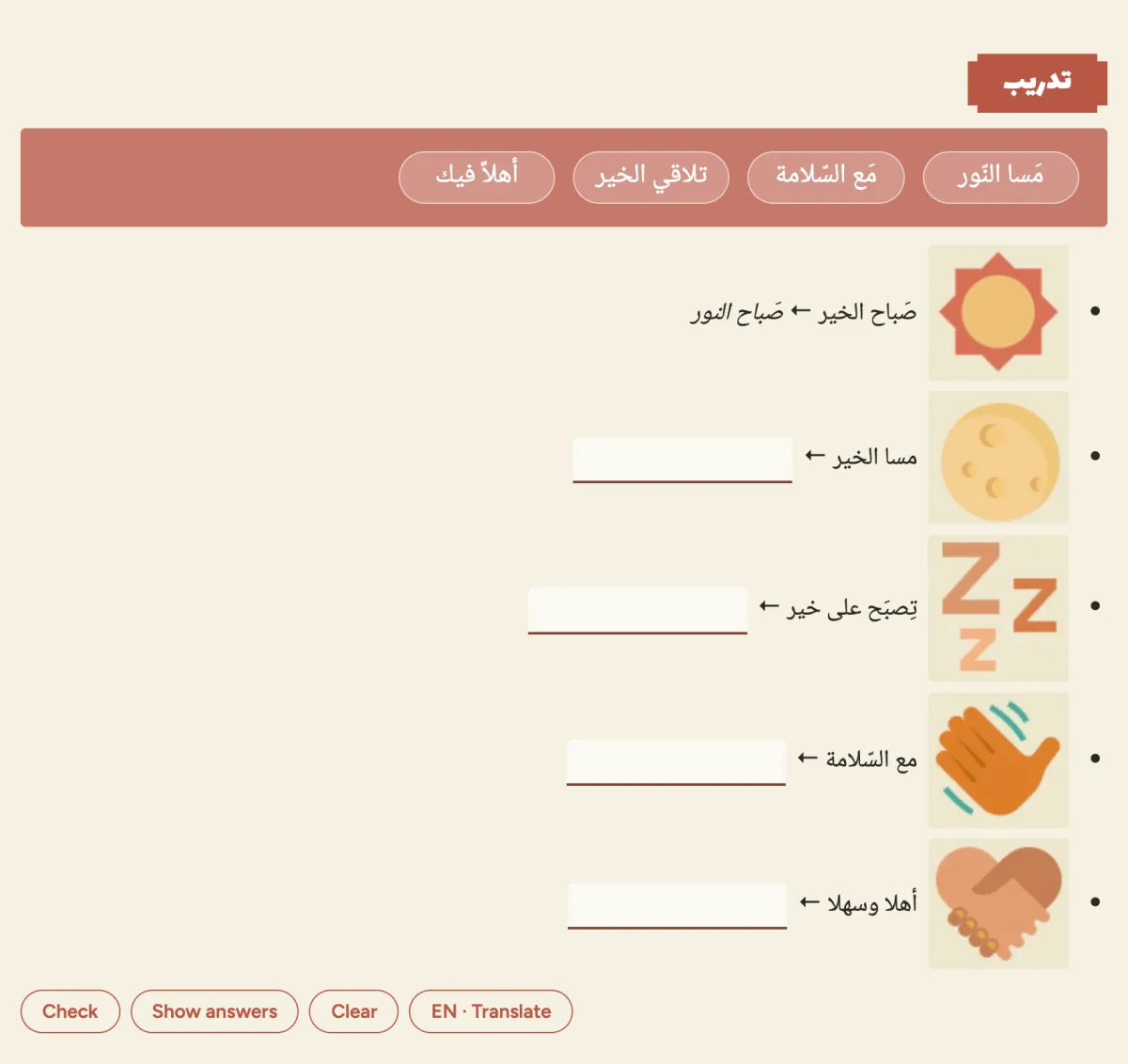
In the PDF, you fill in a box and hope you got it right. Now every exercise checks itself, and you can type in Arabic script or Arabizi (Arabic written with English letters).
The prompts I used
I built the whole thing with Claude Code, without a spec or wireframes. I'd write a short prompt, look at what came back and push back when something felt off. Here are some of the real ones (typos fixed 😅).
The first prompt. I dropped the PDF in and asked:
Go through this PDF and make an interactive website with all the links that I can just click on, connected to all the resources here.
When the first version drifted. It looked nothing like the book, so I asked it to stay true to the original:
Please try again. Follow the exact workbook look and content, this is confusing.
Listening without the video.
If it's a listening exercise, give the ability to just play it on the page without watching the video.
Pointing at a reference. The first player had controls everywhere, so I pointed it at an app everyone knows:
Look at how Spotify or mobile have a playback experience at the bottom. Right now there's too many controls and video floating.
Following along.
Give the ability to see transcripts for all available videos.
Turning it into a product.
Make a version where you have to sign in to access the workbook. You pay for monthly access, and you get to preview the workbook. Use the branding of the workbook.
Fixing the flow. Signing up before paying felt backwards, so I said so:
The flow doesn't make too much sense. Why do I have to sign in? You should purchase it and select the price first. Make it a proper pricing flow.
Now Unit 1 is free with no sign-up. After that it's $5.99 a month or $100 for lifetime access, with Stripe handling the checkout.
What made the prompts work
🤔 Consider: Giving it references. A screenshot of an app you love, like Spotify's player bar, says more than a paragraph of requirements. Screen recordings work too, especially for showing a bug or a janky animation.
🚩 Avoid: Letting Claude think for you. "Make it more interactive" gets you its best guess, and that's usually something generic. You're the designer, so the decisions should be yours.
✅ Instead: Describe the interaction yourself: what you tap, what appears, where it sits and what stays on screen. For example: "When I highlight an Arabic word, show a small pop-up above it with the meaning, how to say it and a play button." Then use it every day, notice what annoys you and fix one thing at a time.
Then I tried to sell it
I found it so useful that I wanted to see if other people would buy it. So now I'm doing cold outreach to Arabic teachers and creators, by email and Instagram DM.
Claude helps me with this too. It finds people teaching Levantine Arabic on Instagram and Google, drafts a message for each one and helps me keep track of who to follow up with. The prompt that kicked it off was simple:
Come up with a strategy of people to email and tell them about the workbook.
Honestly, sales used to drain me. I'd spend hours finding leads and writing every message from scratch. Now it feels so much easier, and I'm learning a ton about marketing along the way.
Why it matters
Anyone can code now. The hard part is still spotting what feels confusing and knowing what to cut, and that's a designer's job.
I think we should be building, and trying the parts we usually hand off, like pricing, checkout and even sales. When building is cheap, intention is the moat.
If you're learning Arabic, or know someone who is, try Unit 1 free at arabicworkbook.ink. No sign-up needed.
Let me know your thoughts! 💜