↓ or space to advance
Editing — click any text, Ctrl+S to save a copy, E to exit
Reorder slides
Moves are live and saved automatically. Ctrl+S exports a copy in this order.
Furquan Ahmad

Master Plan Mode, Ship in HTML

Two habits that get you the best output, not just a working one.

Furquan AhmadPrototypeHTML + Plan Mode
Part one

Prototype in the real medium

Furquan AhmadPrototypeHTML + Plan Mode
Why prototyping matters more now
You can finally build the real thing instead of drawing it.

Figma wireframes only ever showed intention: what a screen was supposed to do. Today, for the same effort, you can hand over something that actually behaves, real clicks, real states, real edge cases. That's a different kind of proof.

Framing from the "vibe coding" shift in product design, 2026 — designers moving from static mockups to interactive prototypes.
Furquan AhmadPrototypeHTML + Plan Mode
What changed

Ask for the real thing, not a picture of it.

− Static mockup

Shows the happy path. One state, guessed by hand.

+ Working HTML

Real interaction, real copy, real breakpoints. Still a draft.

Furquan AhmadPrototypeHTML + Plan Mode
Not just interfaces

A wall of markdown loses you. A page doesn't.

− Markdown

Cheap to generate. Expensive to actually read.

Past about a page, you stop reading and start skimming.

Skimming is how the big picture gets lost.

Most Plan Mode reviews are exactly this: a markdown plan, skimmed the same way.

+ An HTML page

Same content, structured: headings, spacing, hierarchy.

You see what matters at a glance, not just what came first.

Keeps you reviewing it, not just approving it.
Works for anything you'd otherwise summarize in writing: findings, comparisons, a status update.
Furquan AhmadPrototypeHTML + Plan Mode
The honest economics

A prototype in HTML costs a fraction of what the real thing costs to build.

A working mockup is a few hundred lines. A shipped feature is thousands, plus tests, plus everything that never shows up in a demo. Testing the direction before any of that exists isn't a nice-to-have. It's the cheap insurance.

Furquan AhmadPrototypeHTML + Plan Mode
Where this idea came from

Two posts that started all of this

Thariq Shihipar
@trq212

"HTML is the new markdown." He'd stopped writing markdown for almost everything, switching to asking Claude Code for HTML instead, backed by 20 worked examples across 9 categories.

Thariq Shihipar
@trq212

A skill people at Anthropic use a lot: /eli5 <what you want explained>. The system prompt behind it: "explain like I'm someone who knows nothing about this topic," in an HTML artifact with big pictures and few words.

August 2026 · x.com/trq212
Also worth watching: Thariq's own talk on getting the most out of Claude Code.
Furquan AhmadPlan ModeHTML + Plan Mode
Part two

Stay in control of what you can't write

Furquan AhmadPlan ModeHTML + Plan Mode
What Plan Mode actually is

Nothing gets written until you say go

1

Explore

It reads the request. No files change yet.

2

Plan

It proposes an approach: what it'll build, in what order.

3

Approve

You read the plan and say yes, change it, or stop.

4

Build

Only now does it touch a file.

Turn it on with Shift+Tab twice, mid-session, or type /plan.
Furquan AhmadPlan ModeHTML + Plan Mode
Why, briefly
It's not picking the answer. It's picking a likely one, word by word.

At each word, the model isn't recalling a fixed response. It's weighing many plausible next words and choosing among the likely ones, not always the single most probable. That's on purpose: always taking the safest word produces flat, repetitive text.

And because each word shapes what comes next, one different word early on reshapes the whole sentence after it. Small randomness, compounding difference.

The knob that controls how much of this: temperature.
Furquan AhmadPlan ModeHTML + Plan Mode
What you're actually working with

Every pull is a little different. That's not a bug.

Ask for the same thing twice and you'll get two different answers, in code or in a plan. You can't fix that, and you don't need to. You just want a cheap pull, so trying again costs a prompt, not a rewrite.

Furquan AhmadPlan ModeHTML + Plan Mode
Why one small miss matters

Small mistakes add up fast.

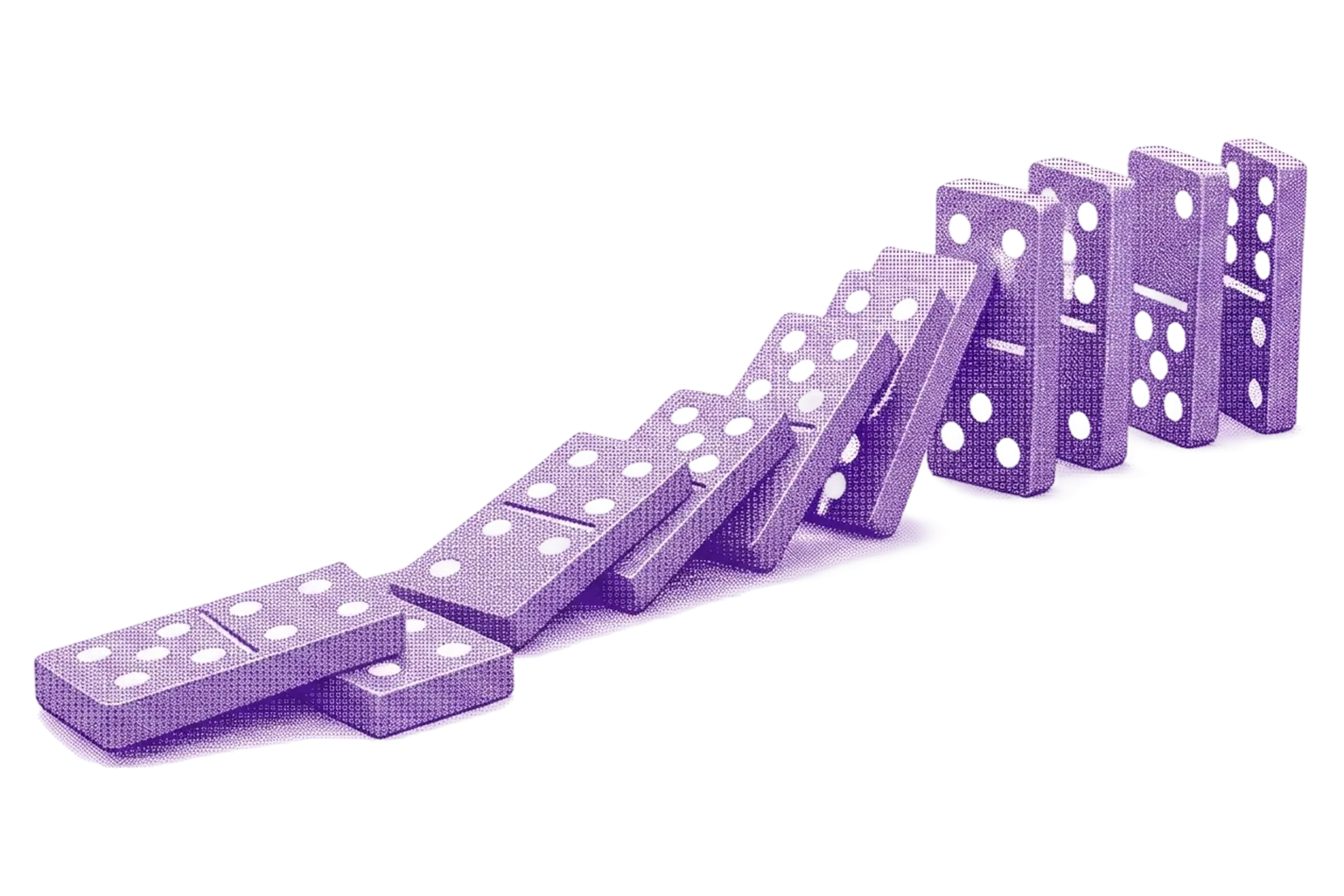
Like dominoes: knock one over, and it knocks the next, and the next. A screen is dozens of tiny decisions. Get almost all of them right, and it can still end up wrong.

0.8 to the power of 20 is about 1.15%. Plan Mode is the circuit breaker: check the direction on a sketch before any of those calls turn into real code.
Furquan AhmadPlan ModeHTML + Plan Mode
The real cost of skipping this

Skip the check, and Claude writes the whole thing anyway. In the wrong direction.

Every line of real code costs tokens and time to generate, and Claude will happily spend all of it on an approach you don't actually want, because nothing stopped it before it started. The fix isn't slower. It's earlier.

Furquan AhmadPlan ModeHTML + Plan Mode
The habit Plan Mode doesn't fix by itself
A long plan gets approved the same way a long PR does. Skimmed.

Claude writes clearly, at length. A real plan for a real feature can run several screens, and nobody actually reads all of it before hitting approve. The gate only works if you use it.

Furquan AhmadPlan ModeHTML + Plan Mode
The habit that connects both
A plan can read perfectly and still be wrong.

Confident, well-organized text is not the same as the right direction. Don't just read the plan. Ask Claude to show it, a quick HTML pass of the idea, and keep iterating that HTML, still in Plan Mode, until it's right, before you ever approve real code.

Furquan AhmadPlan ModeHTML + Plan Mode
A prompt worth reusing

Anatomy of a prototyping prompt

prototype-prompt.txt
You're prototyping [screen/feature] for [idea]. // sets the task
First, propose the layout and design direction in a few bullets. // direction before pixels
Then create a quick, self-contained HTML/CSS prototype so I can see and react to it. // see it before it's built
Stop after the prototype. Do not build the final implementation yet. // the guardrail
Iterate based on my feedback: prototype → show me → feedback → revise → approve → build. // the actual loop
Furquan AhmadPlan ModeHTML + Plan Mode
The fix for the plan nobody reads

Turn the skim into a decision, one at a time.

decision-sieve-prompt.txt
Walk through every decision or assumption you made in this plan, one at a time. // no skimming allowed
For each one, ask me to A) confirm it, B) change it, or C) cut it, before you move to the next. // forces engagement
Catches the assumptions about data, state, or error handling a skim would have waved through.
Furquan AhmadPlan ModeHTML + Plan Mode
A second opinion with no ego
Open a second session with no memory of the first. Ask it what the first one missed.

The session that built the thing is invested in the thing. A fresh session isn't. Point it at your original brief and the diff, and it'll report gaps the builder would have talked itself past.

Furquan AhmadPlan ModeHTML + Plan Mode
A real one, not a hypothetical

Click through: a plan I approved, and what it built

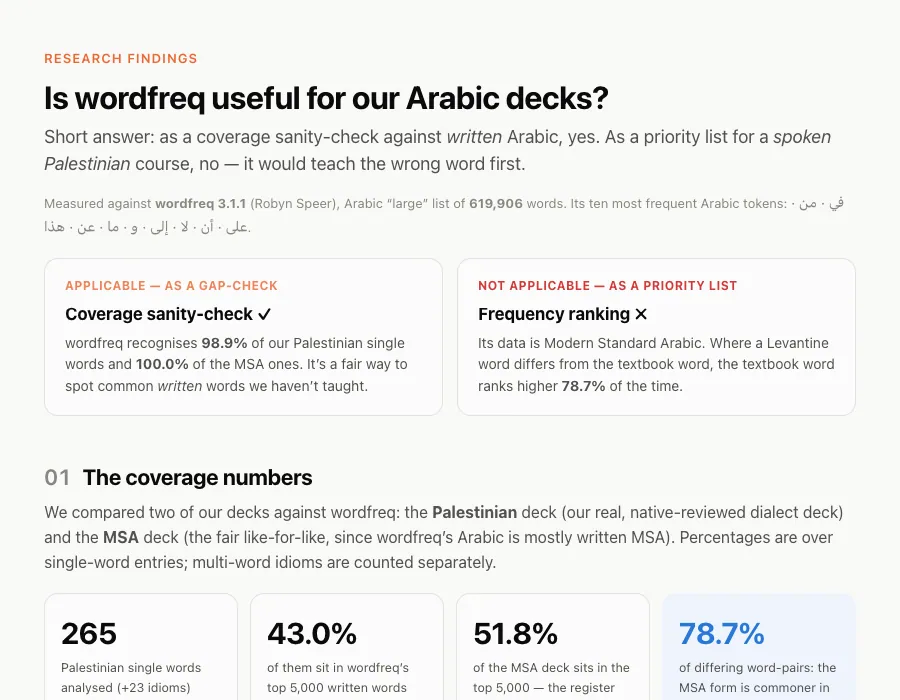
Investigate wordfreq for the Arabic learning app + findings HTML page

You asked whether wordfreq is applicable to your
Arabic learning app, and to produce an HTML page
with the findings.

Findings page — docs/wordfreq-findings.html (new)
Self-contained static HTML, inline CSS, no build step.
Furquan AhmadPlan ModeHTML + Plan Mode
Another real one

A new feature, mocked up before it was real

Voice AI conversation practice — mockup

Before committing to real mic and API work,
this pass builds a click-through mockup: one
self-contained HTML file to validate the
concept and the screen flow.

A live interactive preview was shown in-chat
during planning, so the flow could be tried
before any file was written.
Furquan AhmadPlan ModeHTML + Plan Mode
A third

A redesign, with the reasoning written down

Profile section redesign — clickable HTML draft

Miller's Law: six settings become one
scannable list. Recognition over recall:
every row shows its current value, so you
see what's set without opening it.

This plan covers a standalone, clickable
HTML draft only. It does not touch the
live app.
Furquan AhmadPlan ModeHTML + Plan Mode
How do you know when to use it?

Use Plan Mode when you can't describe the change in one sentence. Skip it when you can.

A color change, a copy fix, a spacing nudge, you already know what that looks like, so just make it. Save Plan Mode, and the HTML pass, for the direction you're actually unsure about.

Furquan AhmadPlan ModeHTML + Plan Mode
Why this works on someone like me

I'm a visual learner. Show me the thing, don't describe it.

That's recognition over recall. As a designer, I've always needed to see something to actually get it, not read about it. A plan you can react to does that. Code you have to parse doesn't.

Furquan AhmadPlan ModeHTML + Plan Mode
The other use for HTML
Ask for a diagram, not a paragraph.

Complex ideas compress badly into text. A quick HTML page with boxes, arrows, and a handful of words shows the relationships a wall of prose would bury: how a system fits together, what depends on what, where a decision actually branches. Works on any topic you'd otherwise need a meeting to explain.

Furquan AhmadPlan ModeHTML + Plan Mode
A real one

Click through: a PR explained as a diagram, not a paragraph

voice-model-pr-review.html
Furquan AhmadPlan ModeHTML + Plan Mode
Vibe coding still needs your eyes on it

Ask for the ELI5 version before you scale it.

Asked Claude to explain, in plain language,
whether a new voice vendor was worth adding
to my Arabic tutor app.

No jargon. Just: what changes for the
learner, and why it might help. A plain HTML
diagram of how your own app actually works
is the fastest way to keep understanding
what you're shipping.
Furquan AhmadPlan ModeHTML + Plan Mode
Make the teaching automatic

My own CLAUDE.md already does this

## Who I am I am a product designer with little coding experience, not a developer. Default to teaching mode in every response. ### Explain like I'm learning Give me more context than you would give a senior developer. Explain the "why" behind code, not just the "what".
Furquan AhmadPlan ModeHTML + Plan Mode
The last habit

Let a skill catch what you'd miss.

Before every push, mine runs a design-system check, a frontend code check, a content check, and takes before/after screenshots for the PR. Skills specialize as models change, so it's worth refreshing yours every few months, not just once.

Furquan AhmadPlan ModeHTML + Plan Mode
Stop retyping the same instructions

Save the prompt once. Let it read the file itself.

01

Skills

A prompt you'd otherwise retype becomes a saved command. Write the instructions once, invoke it by name from then on.

02

MCP

Claude can read your actual Figma file directly, not a description of it typed into a prompt. Fewer rounds of "no, the other blue."

Furquan AhmadPlan ModeHTML + Plan Mode
When Claude suddenly gets worse
It's not being difficult. Its context window is full.
  1. /clear — start clean. A fresh session with a good prompt beats ten corrections in a cluttered one.
  2. /compact — keep the session, lose the clutter. Compresses the history, keeps the decisions you already made.
  3. /rewind — undo a direction that didn't work. Rolls the code and the conversation back together, like it never happened.
Furquan AhmadPlan ModeHTML + Plan Mode
Where Plan Mode actually sits
It's not the only setting. It's the one worth learning first.
Default

Ask for every edit

Nothing changes without you clicking yes, every single time. Safe. Slow.

Plan Mode

Look freely, write on approval

Where this whole talk lives. Free to explore, locked until you say go.

Auto

Approve once, keep moving

Faster, once the pattern earns your trust. Not where you start.

Furquan AhmadPlan ModeHTML + Plan Mode
The part people skip
Plan Mode doesn't replace judgment. It just moves the mistake earlier.

Approving a plan you didn't read is the same failure as shipping code you didn't review. Just faster.

Practitioners have started calling plan review "the new linter for AI coding agents."
Furquan AhmadExerciseHTML + Plan Mode
Now you

Ten minutes, one real prototype

Furquan AhmadExerciseHTML + Plan Mode
The exercise, part 1

Here's what you're doing

  1. Pick one line. A screen you'd actually prototype. Your own idea, or: a notification-muting setting, a journaling app's entry screen, a transcription app's upload screen, an overdue-tasks dashboard card.
  2. Open Claude Code, enter Plan Mode. Shift+Tab twice, or type /plan.
  3. Drop your line into this template and send it: "Prototype a [screen] for [your idea]. One HTML file, inline CSS, low-fidelity blocks, real short labels. Plan it first." Example: "Prototype a settings screen for muting one contact's notifications. One HTML file, inline CSS, low-fidelity blocks, real short labels. Plan it first."
Furquan AhmadRecapHTML + Plan Mode
The blueprint

The blueprint

  1. Prototype in the real medium. Ask for working HTML, not a picture of it.
  2. See the plan, don't just read it. Iterate it in HTML before you approve anything.
  3. Skip the gate when you don't need it. One-sentence diff, just write the code.
  4. Understand what you approve. ELI5 diagrams, and a CLAUDE.md that teaches back.
  5. Gate what you ship. A skill that checks before it goes out, not after.
Thank you

HTML is the superpower. Not code. Just knowing how to ask.

Furquan Ahmad linkedin.com/in/furquan101